Founding price!Locked for life. Only 100 spots.Claim my spot
In your program
The same four steps, in the tool you already use.
Pick yours. The panel is the same in every program; what changes is where you find it and which engines render.
Nukxon for Blender
Blender 4.2 → 5.2Windows · macOSFree
01
Install
Download the add-on from nukxon.com for Blender 4.2 to 5.2 on Windows and macOS, and install it in Edit → Preferences → Add-ons → Install from Disk. Press N in the 3D view: Nukxon has its own tab in the sidebar.
02
Set up the capture
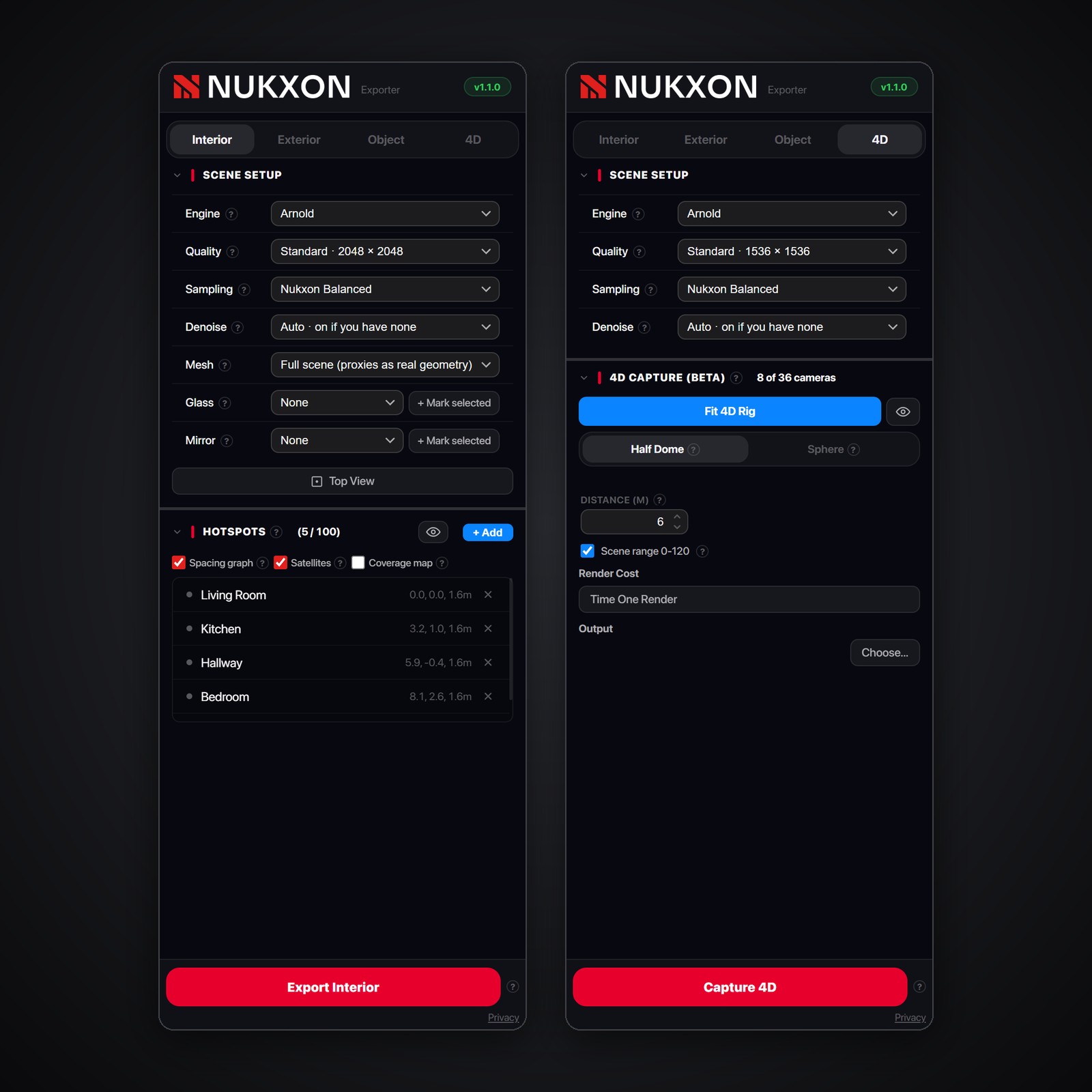
Pick Interior, Exterior, Object or 4D in the Nukxon panel: hotspots in the rooms, a capture shape around the building or the object, or a dome of cameras around something that moves. How each one works
03
Render with your engine
Cycles or EEVEE, with your own lights, materials and samples. Switch on the Nukxon denoiser for clean frames, then export.
04
Upload and share
Upload the export and Nukxon builds the Gaussian splat in the cloud in minutes. A link lands in your inbox: open it in any browser and review it live with your client.
Download for Blender Coming soonTutorial video Soon
Nukxon for SketchUp
SketchUp 2024 → 2026Windows · macOSFree
01
Install
Download the plugin for SketchUp 2024 to 2026, on Windows and macOS, and install it from the Extension Manager. Click the Nukxon toolbar button, or Extensions → Nukxon VR → Open Panel.
02
Set up the capture
Pick Interior, Exterior or Object in the Nukxon panel: hotspots in the rooms, or a capture shape around the building or the object. How each one works
03
Render with your engine
SketchUp's own renderer, V-Ray or Enscape on Windows and Mac, or Chaos Vantage and D5 Render on Windows. Your scenes, styles and materials stay as they are.
04
Upload and share
Upload the export and Nukxon builds the Gaussian splat in the cloud in minutes. A link lands in your inbox: open it in any browser and review it live with your client.
Download for SketchUp Coming soonTutorial video Soon
Nukxon for 3ds Max
3ds Max 2024 → 2027WindowsFree
01
Install
Download the plugin for 3ds Max 2024 to 2027 on Windows. After installing, open Nukxon → Nukxon VR from the menu bar.
02
Set up the capture
Pick Interior, Exterior, Object or 4D in the Nukxon panel: hotspots in the rooms, a capture shape around the building or the object, or a dome of cameras around something that moves. How each one works
03
Render with your engine
V-Ray (CPU or GPU), Corona, Arnold, Chaos Vantage or D5 Render. Lens effects are switched off while Nukxon renders and put back after; your grading and denoisers are never touched.
04
Upload and share
Upload the export and Nukxon builds the Gaussian splat in the cloud in minutes. A link lands in your inbox: open it in any browser and review it live with your client.
Download for 3ds Max Coming soonTutorial video Soon
Nukxon for Unreal Engine
Unreal Engine 5.5 → 5.8WindowsFree
01
Install
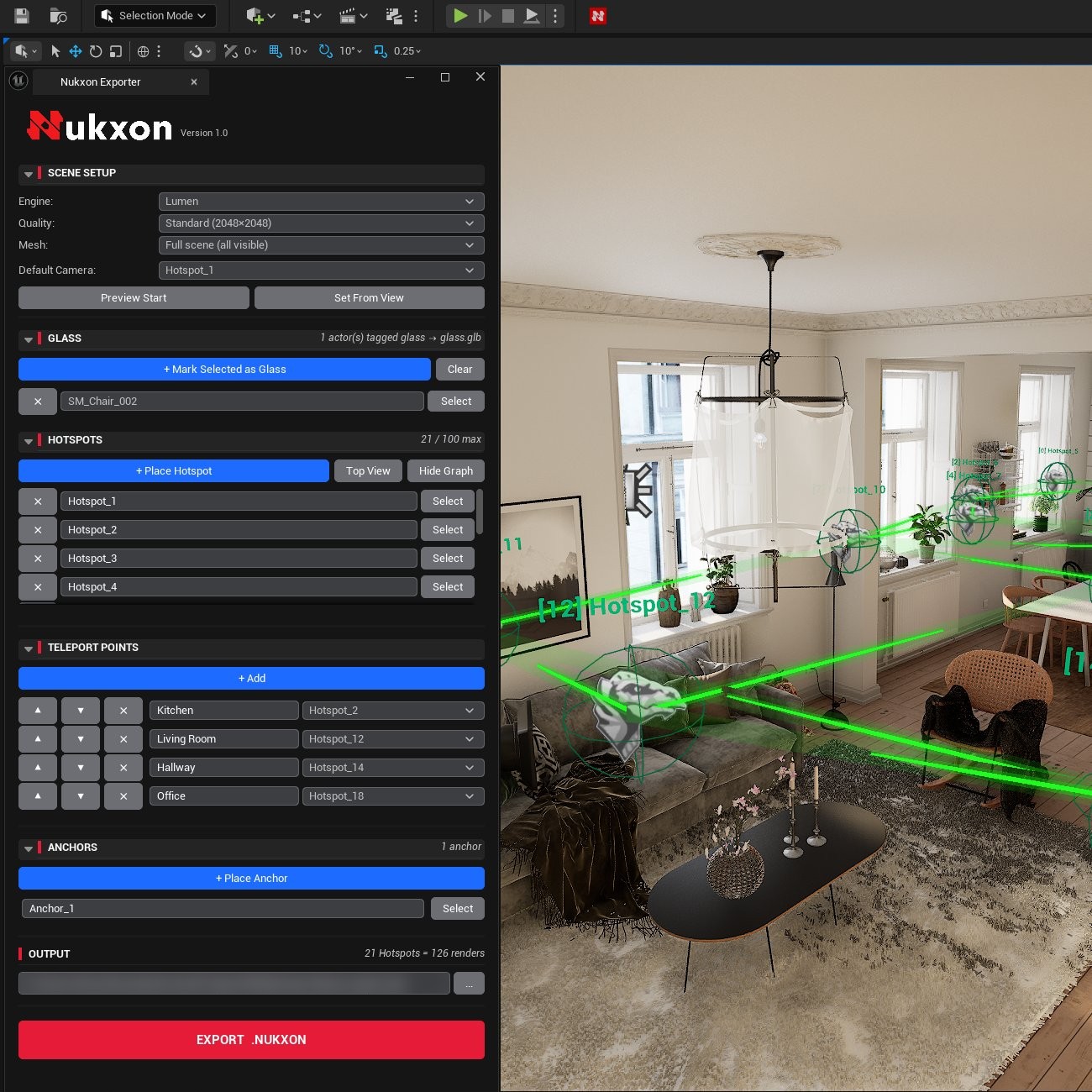
Get Nukxon from Fab for Unreal Engine 5.5 to 5.8 on Windows, and enable it in your project's plugins. Click the Nukxon button on the level editor toolbar.
02
Set up the capture
Pick Interior, Exterior, Object or 4D in the Nukxon panel: hotspots in the rooms, a capture shape around the building or the object, or a dome of cameras around something that moves. How each one works
03
Render with your engine
Lumen, in real time: your level's lighting exactly as you see it in the editor, captured from every hotspot.
04
Upload and share
Upload the export and Nukxon builds the Gaussian splat in the cloud in minutes. A link lands in your inbox: open it in any browser and review it live with your client.
Get it on Fab Coming soonTutorial video Soon
Revit is coming soon. Our 3ds Max and Revit plugins are built by an Autodesk Authorized Developer.
Step 02, up close
Three kinds of capture, one panel.
The Nukxon panel has the same three tabs in every program. Here is what you set up in each, and what your visitors get.
Interiors
Hotspots, room by room.
Place hotspots where a visitor would stand, two or three per room. The spacing graph colours the distance between them, and the coverage map paints what they will capture, so you can see the gaps before you render.
Visitors get: every room to walk through, teleports between hotspots, and the whole floor as a dollhouse.
Exteriors
A capture shape around the building.
Create a half dome, a cylinder for towers or a box for blocks, fitted to your selection. Keep it snug: the cameras move further out on their own when you export.
Visitors get: an orbit around the building on its site, with the sky masked out.
Objects
A sphere and a spin.
A sphere of cameras goes all the way round the object, underside included, plus a tilted ring for the 360 spin. Tilt it up to show more of the top. Up to 25 m across.
Visitors get: a 360 spin made of your renders, and a 3D view to turn it any way.
4D·In the Blender plugin
A rig around what moves.
Select the moving subject and Create 4D Rig fits cameras around it: a half dome for a subject on the ground, a sphere for one in the air. Use the scene's frame range or set your own, then Time One Render to see how long the capture will take.
Visitors get: your animation as a 4D Gaussian splat, to orbit while it plays, pause, scrub and slow down.